SELLMANAGEGROW
TapChow for food businesses.
Bring your restaurant online, manage branches and menus, receive customer orders, monitor wallet activity, and give your team a clearer way to run daily operations.
Lower starting costs. Bigger rewards for consistent sales.
A growth model designed to help Ilesa food businesses try TapChow while keeping the platform sustainable.
12% launch commission
New vendors pay 12% commission for their first four weeks, before the standard 15% rate applies.
Weekly order bonuses
Eligible vendors can earn cumulative weekly bonuses at 20, 40, 75, and 120 completed-order milestones.
Up to ₦11,000 in a qualifying week
Milestones pay ₦1,000, an additional ₦1,500, ₦3,000, and ₦5,000 when completed and cancellation standards are met.
Bonuses count paid, completed deliveries and require a vendor cancellation rate of 5% or less. Campaign terms apply.
Tools for owners, branches, and staff.
Business profile
Create your restaurant profile, complete onboarding, and prepare your store for launch.
Branches
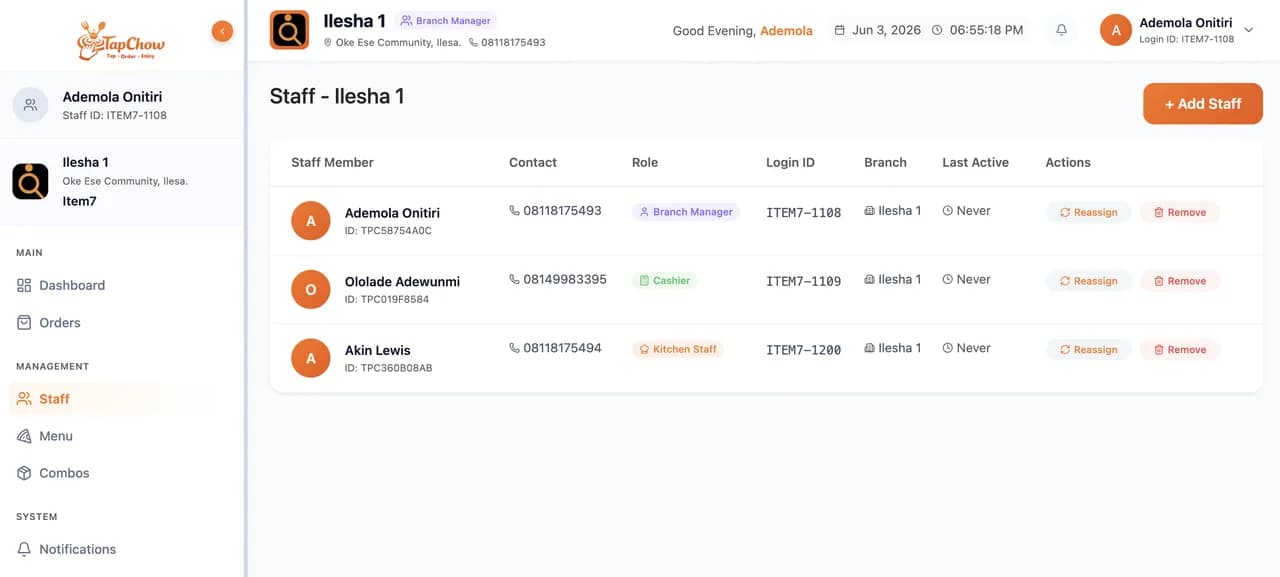
Manage multiple locations, branch status, staff access, and operating context.
Menus and pricing
Publish meals, variants, branch prices, images, and item availability from one dashboard.
Order workflow
Help cashier, kitchen, and manager teams keep order progress clear.
Wallet and settlements
Review wallet balances, transaction history, withdrawals, and settlement readiness.
KYC and security
Support business verification, account security, staff roles, and session controls.
A dashboard your team can actually use.
We are publishing what is ready now: the business dashboard, onboarding, menu management, notifications, wallet, and branch operations as a separate frontend app.
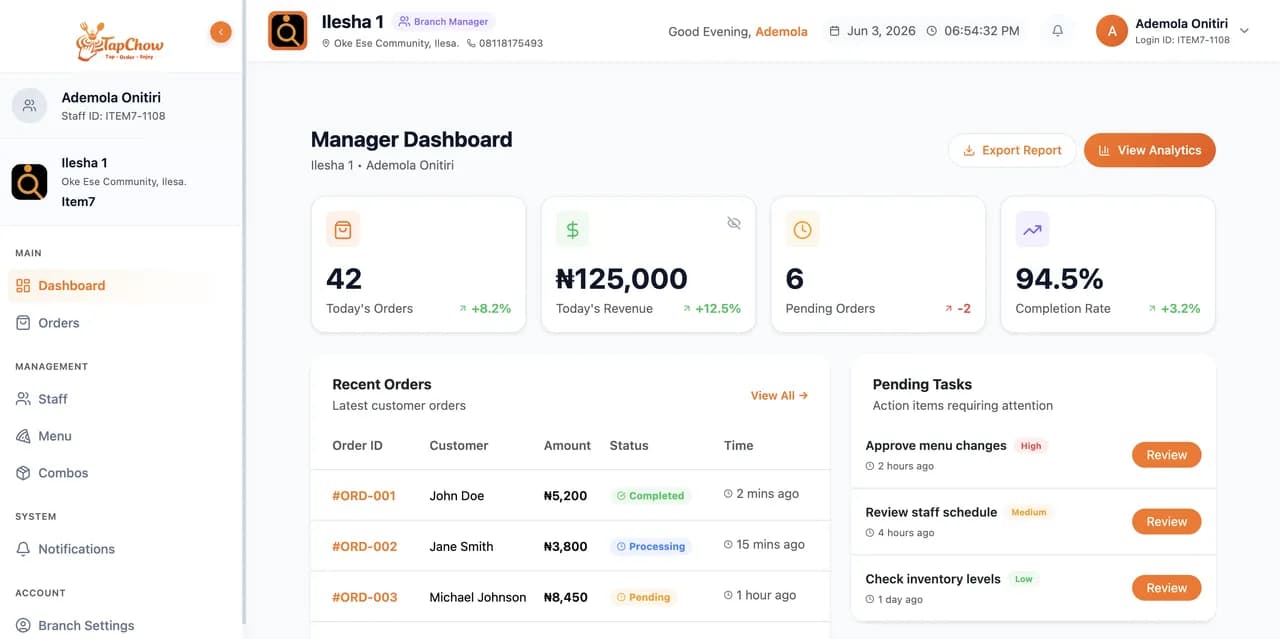
Vendor dashboard
Track branches, orders, wallet activity, and business status.
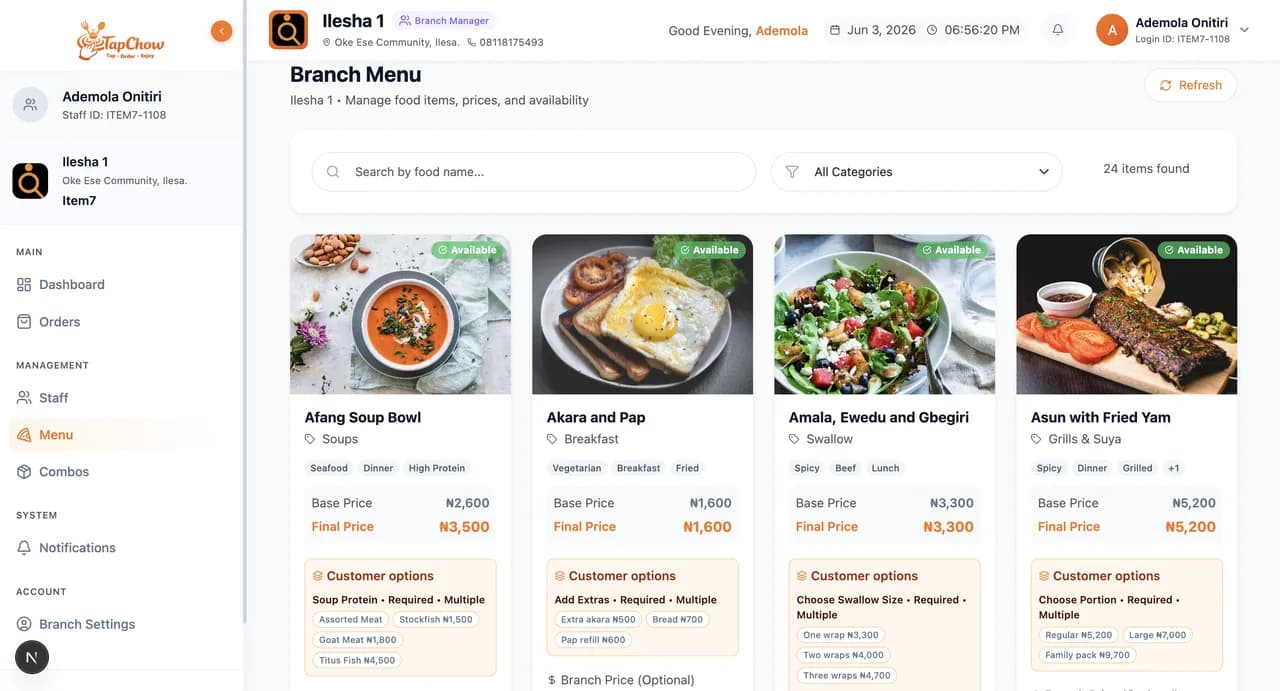
Menu management
Create meals, manage variants, and keep availability current.
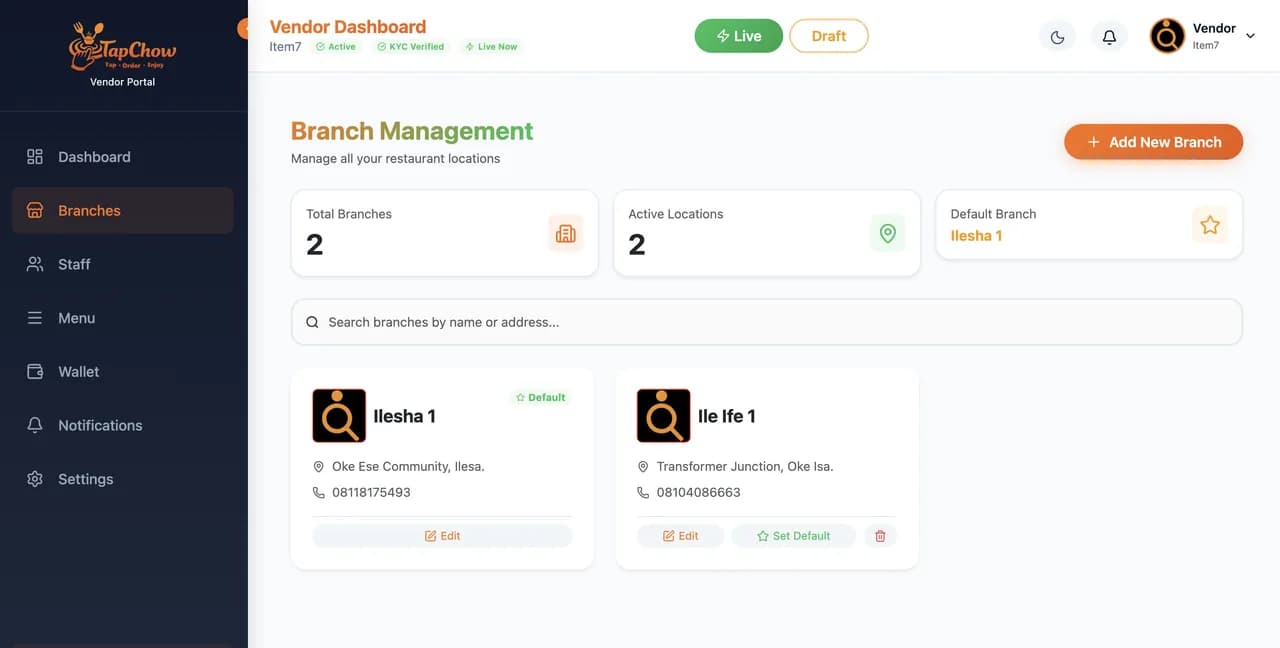
Branch operations
Give teams the tools to receive and move orders forward.
The TapChow vendor app is on its way.
The new vendor app brings onboarding, menu management, branch operations, wallets, and order alerts to your phone. Join the waitlist now and we'll notify you when it's ready to download.
- Waitlist access, no web registration or login required.
- Early vendors get priority onboarding.